Fire safety briefings that employees actually watch
Fire safety briefings are often formal and dull. A short video briefing and simple automation can make workplace safety training genuinely useful.
The problem: a briefing everyone just signs
In many companies, fire safety briefings look the same. Employees gather, the person responsible reads the instructions aloud for fifteen minutes, and then everyone signs the log. A week later, hardly anyone remembers where the nearest fire extinguisher is or which exit to use.
This is not the employees' fault. The format is the problem: a long text, a monotone delivery and no concrete examples from your own premises. The briefing is carried out to meet a requirement, not to make sure people know what to do.
An added complication is that new employees join at different times. The person responsible has to find a moment, gather people or run a separate briefing, and it often gets postponed.
What it looks like in a company
A typical situation in a small or medium-sized company:
- the instructions are an old Word document stored in some folder;
- on their first day, a new employee is handed a sheet of paper and asked to sign it;
- the person responsible for workplace safety does not know who has already had the briefing and who has not;
- the refresher briefing must be done once a year, but deadlines are tracked with a calendar reminder or from memory;
- after a move to new premises, the evacuation plan changes, but the content of the briefing stays the same.
The result is that everything is in order on paper, but in a real situation people do not know what to do. This is a risk both for safety and during inspections, because documentation must match the actual situation.
The solution: a short video briefing and a simple system around it
Two steps work better: make the content easy to see, and put the process in order.
1. A video filmed in your own premises
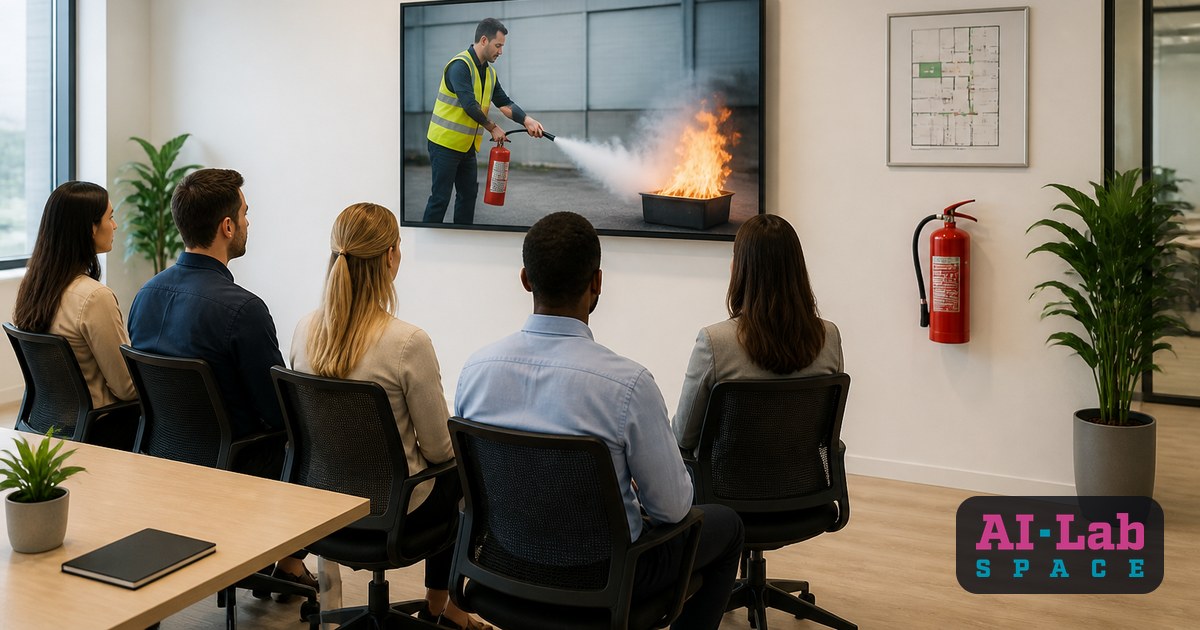
A short video, roughly five to ten minutes, showing:
- exactly where the fire extinguishers and alarm buttons are in your office or warehouse;
- which evacuation route to take from each work area;
- where the assembly point outside the building is;
- what to do if you see smoke or flames;
- whom to call and what to say.
The video can be filmed on a phone while walking around your premises. What matters more than quality is that the employee recognises the place. You can add on-screen captions, but avoid long blocks of text. Before use, the content should be agreed with the person responsible for fire safety and checked against the current requirements.
2. A short set of check questions
After the video, the employee answers a few questions, for example: where is the assembly point, and what is the first step when you see smoke. This shows whether the information has been understood, not just watched.
3. An automated process
This is where automation helps. My AI agent Jarvis and similar tools can take over the routine part:
- when a new employee appears in the HR system or spreadsheet, a link to the video and the test is sent to them automatically;
- answers and dates are stored in one place, so the person responsible does not have to hunt for signature sheets;
- before the refresher deadline, a reminder is sent to the employee and the person responsible;
- if someone has not completed the task, the person responsible receives a short list.
Important: AI does not replace the responsible person and does not set safety requirements. It only ensures that the process happens on time and is recorded.
What you gain
The before and after are easy to compare.
Before: the briefing depends on whether the responsible person has time; the content is generic; afterwards it is hard to say who knows what; deadlines are tracked manually.
After: a new employee completes the briefing on their first day, whenever it suits them; the content is about your own premises; you can see who has completed the training and who needs to repeat it; reminders arrive on their own.
Practical benefits:
- less of the responsible person's time spent repeating the same information;
- consistent quality for every employee, regardless of who delivers the briefing;
- clearer evidence for documentation;
- a better chance that in a crisis a person will actually know what to do.
And one more benefit: when training is interesting and short, employees stop seeing it as a formality.
Where to start
You do not need to build a full learning platform. Start with small steps:
- Review the existing instructions. Do they match your current premises and evacuation plan?
- Agree with the person responsible for fire safety what must definitely be included in the video.
- Film a first version on a phone. One walk through the premises and a short commentary is enough.
- Prepare five to eight check questions.
- Choose a place to store the results: a spreadsheet, a form or a system where you can see who has completed the training.
- Add reminders, even simple email notifications at first.
Once this process works, the same principle can be used for other internal training: data security, working with equipment, first aid basics.
Has fire safety briefing in your company become a formality? What do you find hardest: preparing the content, tracking deadlines or getting employees interested? Write in the comments, and we will look together at how it could be solved.